- Go 98.4%
- Makefile 1.6%
| Filename | Latest commit message | Latest commit date |
|---|---|---|
| .github/workflows | ||
| cmd | ||
| internal | ||
| go.mod | ||
| go.sum | ||
| main.go | ||
| Makefile | ||
| README.md | ||
| screenshot1.png | ||
| screenshot2.png | ||



AI-Generated Content Warning: This project was developed with the assistance of generative AI (Claude by Anthropic). Code, documentation, and design decisions may reflect AI-generated output and should be reviewed accordingly before use in production environments.
// NXSTATS //
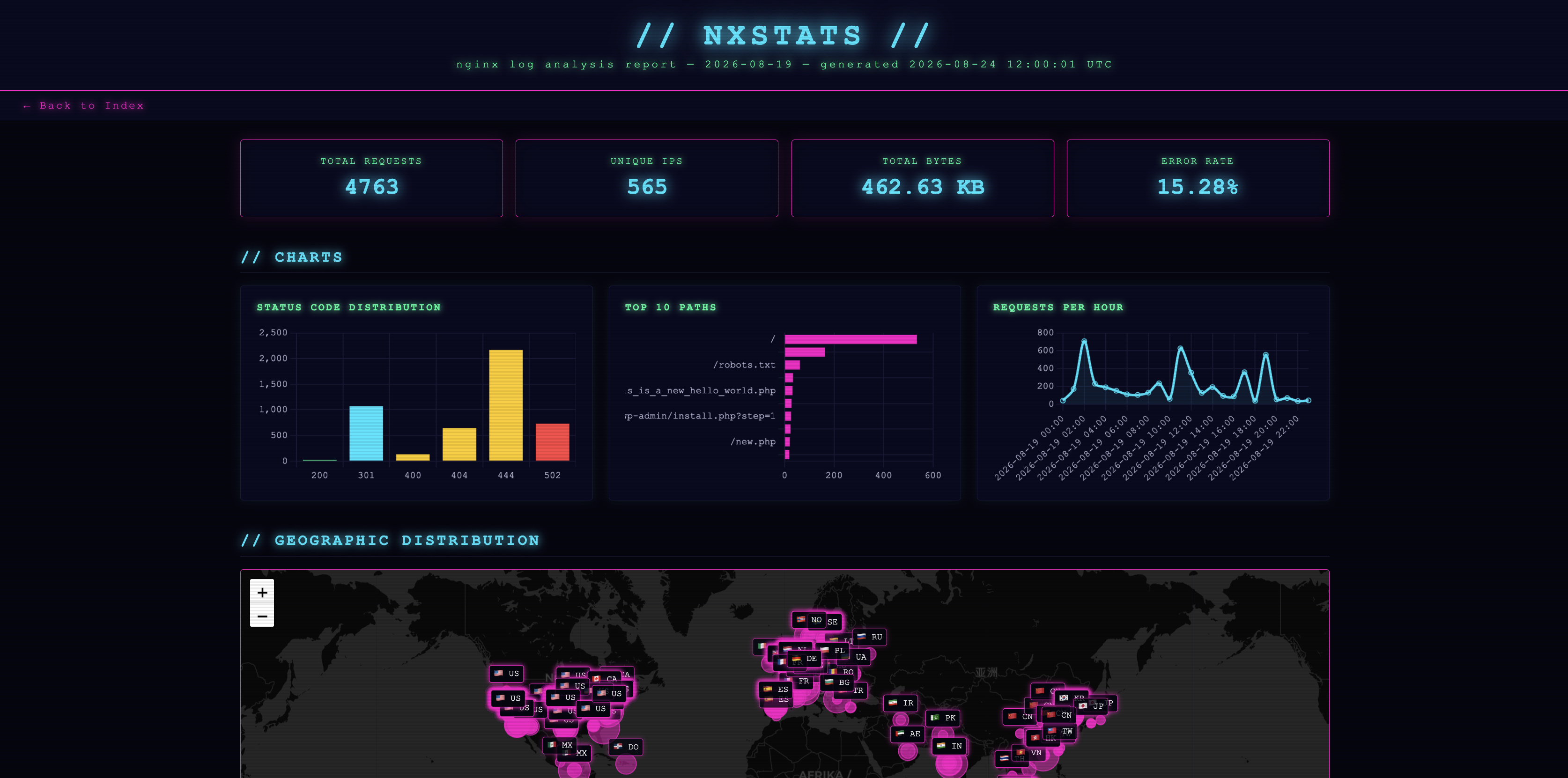
A fast nginx log parser that generates themeable HTML reports with charts, searchable tables, and optional GeoIP2 hit maps.
Features
- Parses nginx access and error logs, including gzip-compressed rotated logs
- Generates a self-contained single-file HTML report — no server required
- Status code distribution bar chart
- Top paths and requests-per-hour charts (Chart.js)
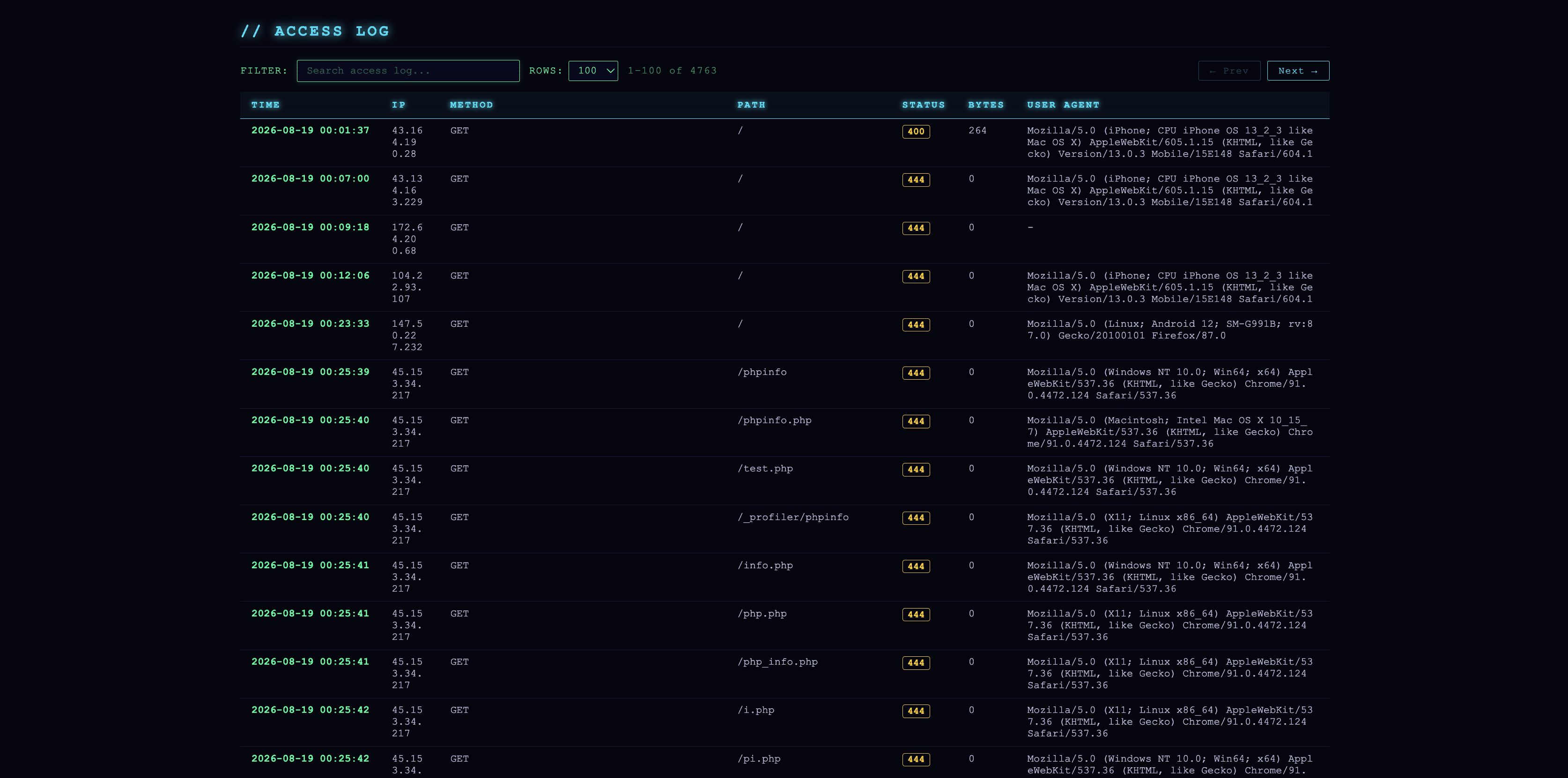
- Searchable, filterable access log table with status badges
- Optional GeoIP2 world map (Leaflet.js) when a MaxMind
.mmdbis supplied - Split-by-day mode writes one report per calendar day plus a summary index page
- Three built-in themes —
cyberpunk(neon dark),purplerain(modern purple dark),cactus(pastel green light) - Zero runtime dependencies — the binary is statically compiled Go
Installation
Build from source
Requires Go 1.21+.
git clone https://github.com/mr0xb/nxstats.git
cd nxstats
go build -o nxstats .
Pre-built binary
Download the latest release binary from the releases page and place it somewhere on your $PATH.
Usage
nxstats [flags]
| Flag | Short | Default | Description |
|---|---|---|---|
--dir |
-d |
/var/log/nginx |
Directory to scan for nginx logs |
--output |
-o |
report.html |
Output HTML file path |
--access-log |
-a |
Specific access log file (skips dir scan) | |
--error-log |
-e |
Specific error log file (skips dir scan) | |
--geoip |
Path to MaxMind GeoLite2-City.mmdb (enables map) |
||
--no-gzip |
false |
Skip .gz compressed rotated logs |
|
--split-by-day |
false |
Write one HTML report per calendar day plus index | |
--theme |
cyberpunk |
Report visual theme: cyberpunk, purplerain, cactus |
Examples
Quick report from the default nginx log directory:
nxstats -o report.html
Specific log files:
nxstats -a /var/log/nginx/access.log -e /var/log/nginx/error.log -o report.html
With GeoIP2 map enabled:
nxstats --dir /var/log/nginx --geoip ./GeoLite2-City.mmdb -o report.html
Split into per-day reports:
nxstats --dir /var/log/nginx --split-by-day -o index.html
# Writes index.html + 2024-01-15.html, 2024-01-16.html, etc.
With a different theme:
nxstats --dir /var/log/nginx --theme purplerain -o report.html
GeoIP2 Setup
The geographic distribution map requires a free MaxMind GeoLite2-City database.
- Sign up at maxmind.com
- Download
GeoLite2-City.mmdb - Pass the path via
--geoip ./GeoLite2-City.mmdb
Log Format
nxstats expects the standard nginx combined log format for access logs:
$remote_addr - $remote_user [$time_local] "$request" $status $body_bytes_sent "$http_referer" "$http_user_agent"
Error logs use the standard nginx error log format.
License
MIT